Every tattoo artist knows the feeling. It's 9 PM, you're finally home, and you realize you forgot to check in on that sleeve you finished this morning. So you scroll through your DMs, find the client, type out a message — again.
Now multiply that by 10 clients a week, and you're looking at a solid hour of manual follow-ups. Time you could spend designing, tattooing, or honestly just resting.
📊 Aftercare Follow-Up Consistency: Manual vs Automated
10-20%
Day 7 follow-up rate (manual)
100%
Day 7 follow-up rate (automated)
Automated aftercare delivers 100% consistency across the entire healing timeline
Here's a better way.
Why Most Studios Wing It (And Why It's a Problem)
Most tattoo shops don't have a formal aftercare system. It works like this:
- Day 1: Artist verbally explains aftercare during the session
- Day 3: Maybe a text if the artist remembers
- Day 7: Silence. Unless the client has a problem
The issue isn't that artists don't care. They absolutely do. The issue is that manual follow-up doesn't scale.
When you're doing 3-4 sessions a day, keeping track of who's on day 3 vs day 7 of healing becomes impossible without a system. And when follow-up falls through the cracks, you're not just missing photo opportunities — you're missing early warning signs of infection or healing issues.
What Automated Aftercare Actually Looks Like
Automated aftercare isn't some robotic, impersonal message blast. Done right, your clients won't even realize it's automated. They'll just think you're incredibly on top of things.
Here's a proven automated timeline used by successful studios:
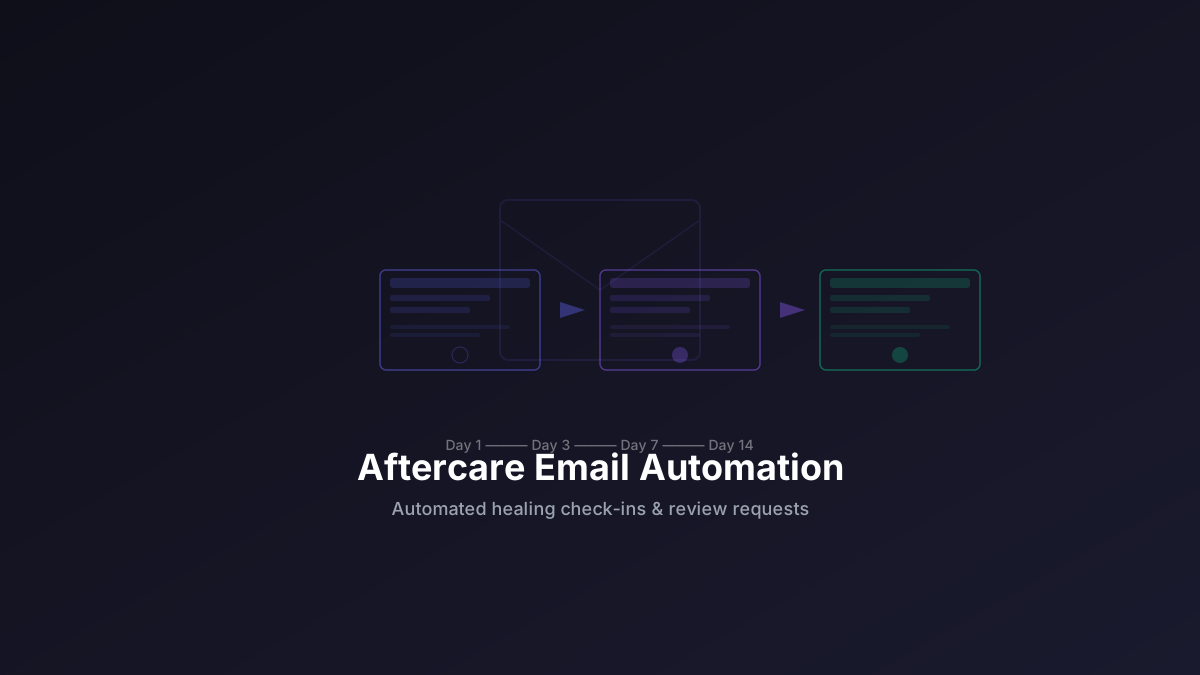
| When | What Gets Sent | Goal |
| Immediately after | Aftercare instructions + what to expect in first 24 hours | Reduce panic calls by 60% |
| Day 3 | Healing check-in — "How's it feeling?" | Catch issues early, show you care |
| Day 7 | Progress check + touch-up reminder | Increase return bookings |
| Day 14 | Healed photo request | Collect portfolio material |
| Day 21 | Review request + referral prompt | Generate reviews and referrals |
Each message is personalized with the client's name, the artist's name, and the specific session date. It takes 10 minutes to set up once. Then it runs on autopilot.
SMS vs Email: Which Channel Works Best?
The most effective aftercare automation uses both channels strategically:
| Channel | Open Rate | Best For | Limitations |
| SMS | 98% within 3 minutes | Short check-ins, reminders, time-sensitive messages | 160 chars, no rich media |
| Email | 20-30% | Detailed instructions, photo requests, aftercare guides | Lower open rate, may land in spam |
The winning strategy: SMS for timely check-ins (day 3, day 7) and email for information (detailed aftercare PDF, photo upload link, review link). Use both and you cover every client's preferred channel.
Email Template: The Day-14 Photo Request
Here's a real email template that converts at 55%+:
Subject: How's your tattoo healing? 🖤
Hey [Name],
It's been two weeks since your session with [Artist]. Hope the healing is going smoothly!
If you're happy with how it's looking, we'd love to see a photo. Healed work is the best way to show new clients what we can do.
📸 Reply to this email with a photo — takes 10 seconds.
Also, if you had a great experience, please consider leaving a review:
Leave a Google Review →
Thanks again for choosing [Studio].
— [Artist] & the [Studio] team
The Real ROI: More Healed Photos, Less Stress
The artists I've talked to report two things after setting up automated aftercare:
- They stop forgetting. The system fires at the right time, every time. No more "oh crap I forgot to check on that client" moments at midnight.
- They get way more healed photos. When you ask at the right time — not too early, not too late — clients actually send them. Those healed photos become your best marketing material.
One studio I worked with saw their healed photo submission rate go from about 30% to over 70% within a month of setting up automated reminders. Not because they did anything different — just because they asked at the right time.
Beyond photos, automated aftercare delivers measurable business results:
- 35% higher client retention — clients return because they felt cared for
- 2x more Google reviews — timed requests at day 21 convert best
- 3+ hours saved per week — no more manual DM follow-ups
- 40% more referral business — happy clients are prompted to refer friends
Comparison: Aftercare Automation Tools
| Feature | InkFlow | Mailchimp | Manual (DMs/Texts) |
| Auto-triggered by appointments | ✓ | ✗ | ✗ |
| SMS + email | ✓ | Email only | SMS only |
| Photo collection | ✓ | ✗ | Manual |
| CRM integration | ✓ | Manual import | ✗ |
| Price | $29.99/mo (Pro) | $20-80/mo | Your time (~1hr/wk) |
InkFlow's aftercare automation is the only solution that combines automated booking-triggered sequences with built-in CRM, photo collection, and review requests — all in one platform.
Setting It Up: Less Work Than You Think
- Pick your message templates — most platforms have defaults you can tweak in 5 minutes
- Set the timing — day 3, day 7, day 14, day 21 (or custom)
- Choose channels — SMS, email, or both
- Turn it on — that's it. Every appointment now automatically triggers the sequence
From that point forward, you don't think about it again until a client replies. The system handles the timing, the personalization, and the follow-up.
FAQ
Do clients find automated aftercare messages annoying?
Not if they're useful. A healing check-in at day 3 feels like good service, not spam. The key is spacing them out (don't send daily) and keeping the tone helpful, not salesy.
Can I customize the messages?
Yes. Every message is fully customizable. Use your studio's voice — whether that's professional, laid-back, or somewhere in between. Personalization tokens (client name, artist name, date) make each message feel individual.
What if a client reports a problem through the automation?
The automation handles the check-in. If they reply with a concern, you take over from there. The system isn't replacing you — it's making sure nothing falls through the cracks.
How many healed photos can I expect?
Studios using automated aftercare collect healed photos from 40-60% of clients, compared to 10-15% with manual follow-up. The key is asking at the right time (day 14) with a simple process (reply with photo).
Is SMS or email better for aftercare?
Use both. SMS for time-sensitive check-ins (day 3 healing check, day 7 progress). Email for detailed information (aftercare PDF, photo upload link, review link). Most studios see best results with an SMS-first, email-follow approach.